
Google Workspace vs Office 365 – Which Email Solution Fits Your Business Better?
A lot of times, businesses are so busy with handling clients, sorting files, and managing accounts that they forget about their email systems. They only start to rethink about it when something starts slowing down.
It’s rarely dramatic. A missed attachment here. A version mismatch there. Someone can’t find the latest file. A client email gets buried in a long thread. None of these issues are serious on their own, but together they begin to affect how work moves.
That’s when email stops being a background tool and becomes something more central. Not because of the inbox itself, but because of everything that happens around it – files, conversations, approvals, and day-to-day coordination.
This is exactly where the decision between Google Workspace and Microsoft Office 365 starts to take shape.
This isn’t necessarily a comparison, but a fair choice between two very different ways of working.
Where Google Workspace Fits Naturally
Google Workspace is really familiar from the very start because companies start using it from the initial days. The interface is easy to navigate, and most users already understand Gmail without much training. This initial ease gets rid of problems, especially for teams that are growing quickly and don’t have time for long training processes.
But the real advantage shows up once teams begin collaborating.
A shared document can be accessed via email. At the same moment, several people begin editing. Comments show up right away. Modifications can be seen without exchanging files. Since there is only one version, there is no uncertainty regarding versions. In simple words, it’s very user-friendly, which makes the entire process very quick.
This makes a steady rhythm for teams that move fast. The work keeps going without stopping.
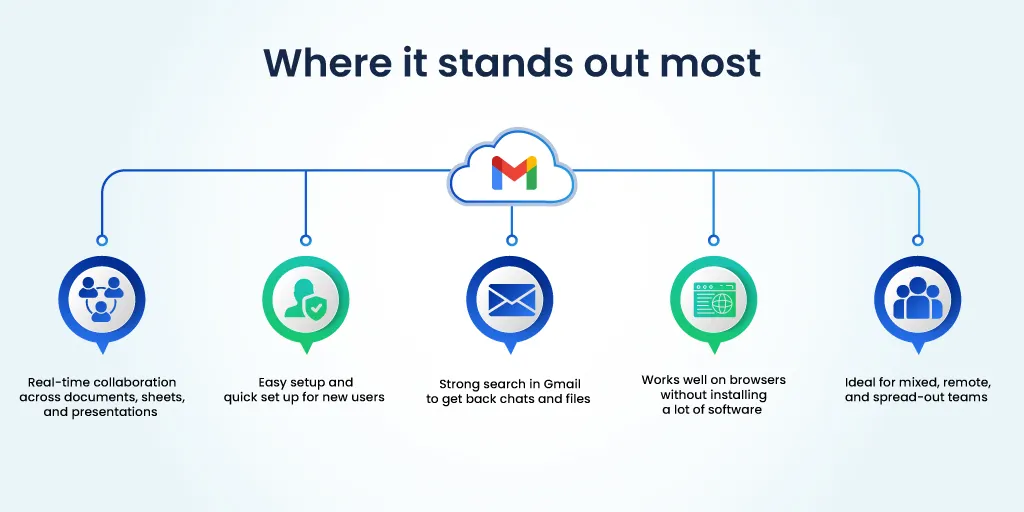
Where it stands out most:
- Real-time collaboration across documents, sheets, and presentations
- Easy setup and quick set up for new users
- Strong search in Gmail to get back chats and files
- Works well on browsers without installing a lot of software
- Ideal for mixed, remote, and spread-out teams
This approach works best for businesses that prioritize speed, flexibility, and ease of use. The system stays out of the way, which allows teams to focus on execution rather than process.
Where Office 365 Brings Structure
Microsoft Office 365, on the other hand, has a more structured approach that’s not as familiar but more professional and aligned.
Outlook is built for volume. Emails can be segregated in folders, even categorized, or flagged and managed through set rules. It is perfectly ideal for teams that deal with loads of communication or an organization that has a lot of data.
The broader ecosystem also plays a role. Excel, Word, and PowerPoint are already used every day by many companies. Office 365 adds email and teamwork to that setting, making sure that all of the tools work the same way.
With Microsoft Office 365, workflows become more defined wherein edits are tracked, files are shared with ownership, and permissions can be granted at multiple levels.
Where it stands out most:
- Detailed email management through folders, rules, and categorization
- Strong integration with desktop tools like Excel and Word
- Clear structure for approvals, documentation, and workflows
- Greater control over permissions and access levels
- A natural fit for enterprises and process-driven teams
For organizations that operate with layered approvals or strict processes, this structure provides clarity and control.
Email Experience: Two Different Approaches
Both platforms offer reliable email, security, and uptime. The difference lies in how users interact with their inbox.
With Gmail, things are easy to understand. Threads are collections of conversations, and search is often the fastest way to find something. It values speed over organizing things by hand.
Outlook offers more control. Emails can be sorted into folders and managed through defined rules. For users handling large volumes daily, this creates a more structured workspace.
Email may start the conversation, but most work moves forward in meetings, quick chats, and day-to-day collaboration. This is where Google Meet and Microsoft Teams become part of the decision.
Google Meet follows the same philosophy as the rest of Google Workspace: keep things simple.
Meet links are easy to create, joining takes very little effort, and meetings connect naturally with Gmail and Google Calendar. For businesses that want quick collaboration without too many moving parts, it works well. Teams can jump into discussions, share screens, and continue work without spending time figuring out settings.
Where Google Meet stands out:
- Simple scheduling through Google Calendar
- Quick meeting access without heavy setup
- Smooth collaboration for remote and hybrid teams
- Easy screen sharing and real-time document collaboration
- Familiar interface that reduces learning time
Microsoft Teams takes a broader approach.
It’s not only a meeting tool; for many organizations, it becomes a central workspace. Teams combines video calls, internal chats, channels, file sharing, and collaboration in one environment. For businesses handling multiple departments, projects, and structured workflows, this level of organization can be valuable.
A finance team, for example, can have a dedicated channel for reporting. HR can manage onboarding conversations separately. Leadership teams can maintain private discussions and approvals all within the same platform.
Where Microsoft Teams stands out:
- Strong integration with Outlook, Excel, Word, and SharePoint
- Structured channels for teams, projects, and departments
- Centralized chat, meetings, and file collaboration
- Better suited for larger teams and process-driven environments
- Detailed controls for permissions and communication management
If your team values speed and simplicity, Google Meet usually feels easier to adopt. If your business prefers structured communication and wants meetings, chats, and workflows in one place, Microsoft Teams often makes more sense.
Making the Right Choice
When real usage is taken into consideration, the comparison becomes more evident.
Google Workspace frequently works better for teams that depend on quick collaboration, shared documents, and less setup.
Office 365 is typically a better option if your operations require detailed management, layered permissions, and defined procedures.
The secret is to take into account how work is done within your company rather than just focusing on features.
Where QualiSpace Adds Value
Choosing the platform is only one part of the decision.
Migration, setup, security configuration, and ongoing management are where most businesses face challenges. A poorly implemented system can create more issues than it solves.
This is where QualiSpace becomes relevant.
Whether a business chooses Google Workspace or Office 365, the focus is on setting it up in a way that aligns with how teams actually work. From email migration to security setup and ongoing support, QualiSpace ensures the system remains stable, secure, and easy to manage as the business grows.
The right system doesn’t stand out. It simply allows work to move without friction.